Viewing Organization Logs (Admin)
Abstract
This article is a guide for Organization Admins on viewing organization logs along with details of the information that can be seen in the logs. If you are a Course Admin, please visit our article titled Viewing Course Logs (Admin). If you are an Instructor, please visit our article titled Accessing Logs as an Instructor.
How to View Logs as an Organization Admin
Organization Admins can access logs pertaining to the whole organization, including all users and courses within it.
To view logs, Organization Admins can click the View Logs button from their organization's main controls or the View Logs button within the left-hand sidebar.
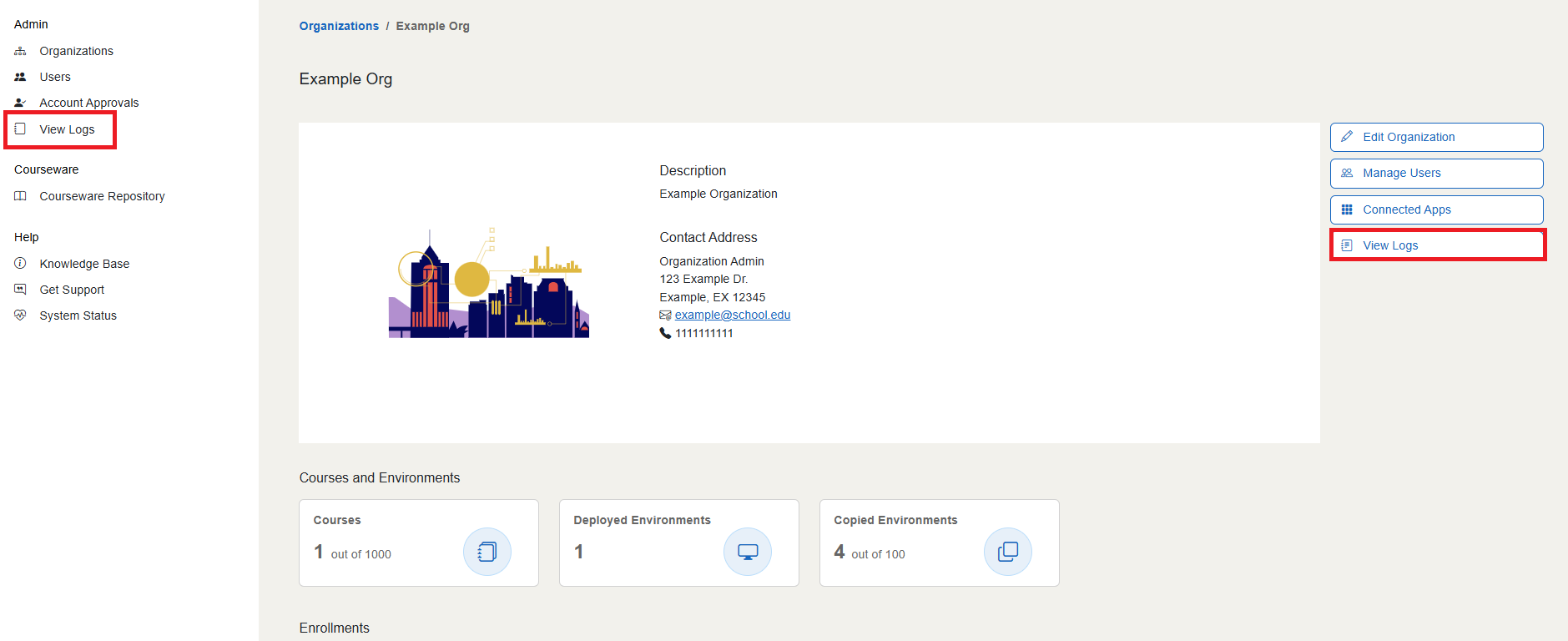
This will take you to the Logs page, where you will see a table of information recorded about actions taken within the organization.
Logs Table
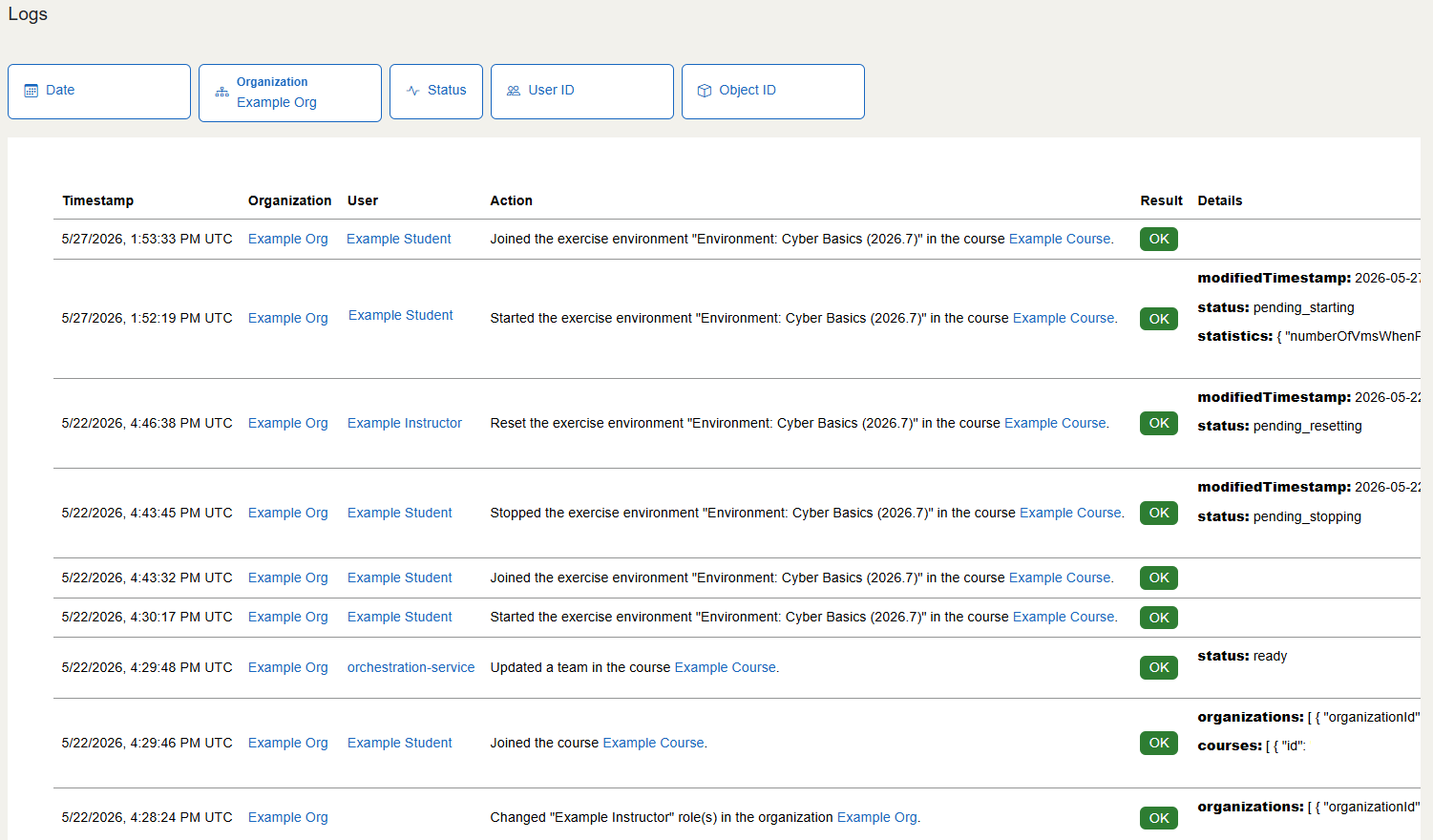
The table on the Logs page contains the following columns:
- Timestamp: the date and time (in UTC) of the action taken
- Organization: the organization that the course is in
- User: the user that performed the action
- Action: a brief description of the action taken
- Result: indicates whether the action completed successfully
- Details: provides more technical details on the action and the exercise affected
Note
Please note that in the "User" column, you may see names like orchestration-service, job-api, or sync-service. These are automated processes that act in courses that the U.S. Cyber Range records in logs to make sure all actions that occur are viewable.
Above the Logs table are various filter fields that can be used to sort through log information.
- Date: allows for searching a specific date or a range of dates
- Organization: allows for searching for logs from specific organizations
- Status: allows for searching between successful and failed actions
- User ID: allows searching for actions performed by a specific user, using the User ID from their profile page
- Object ID: allows searching for a specific course, using its course ID

What Information is Recorded in Organization Logs?
While the U.S. Cyber Range does not keep track of activity that happens within a VM, organization logs track changes to Cyber Range entities like courses and users.
Some examples of organization activities shown in organization logs include users joining or being removed from the organization, the changing of a user's role within the organization, approval or denial of courses, requesting support in the organization, and changes to the organization's plan.
Examples of course activities shown in logs can include adding and deleting exercise groups within courses, users joining or being removed from courses, and users interacting with exercise environments in courses (starting, joining, stopping, and reinstalling).
Have a Question? Contact Support
We're here to help you. If you still have questions after reviewing the information above, please feel free to submit a ticket with our Support Team and we'll get back to you as soon as possible.
Thank You for Your Feedback!