Start All Team Environments Feature
What is the Start All Team Environments Feature?
This feature allows course administrators and instructors to start all exercises for all teams within an exercise environment. It is most helpful when instructors have a lab or a large class and need every student to have a “warmed-up” VM already. This feature eliminates the need for every student to boot up their VM individually.
This feature is available only within our exercise environments and not for Cloud CTF. Please note that each exercise environment has its own button to start all team environments. For example, starting all of the exercises for a CentOS 7 environment will not start the exercises for Cyber Basics.
Using Start All Team Environments Feature
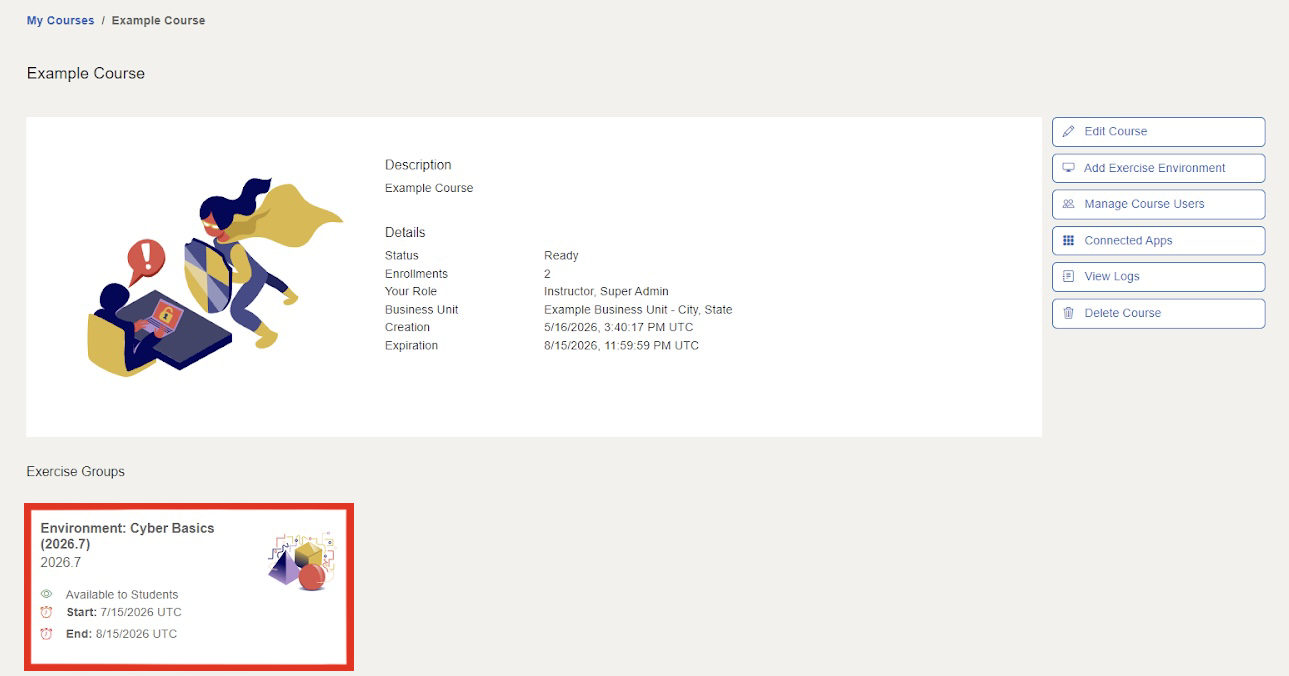
Once you log in to the Range and navigate to your course, click on an environment which supports the Start All Team Environments Feature.
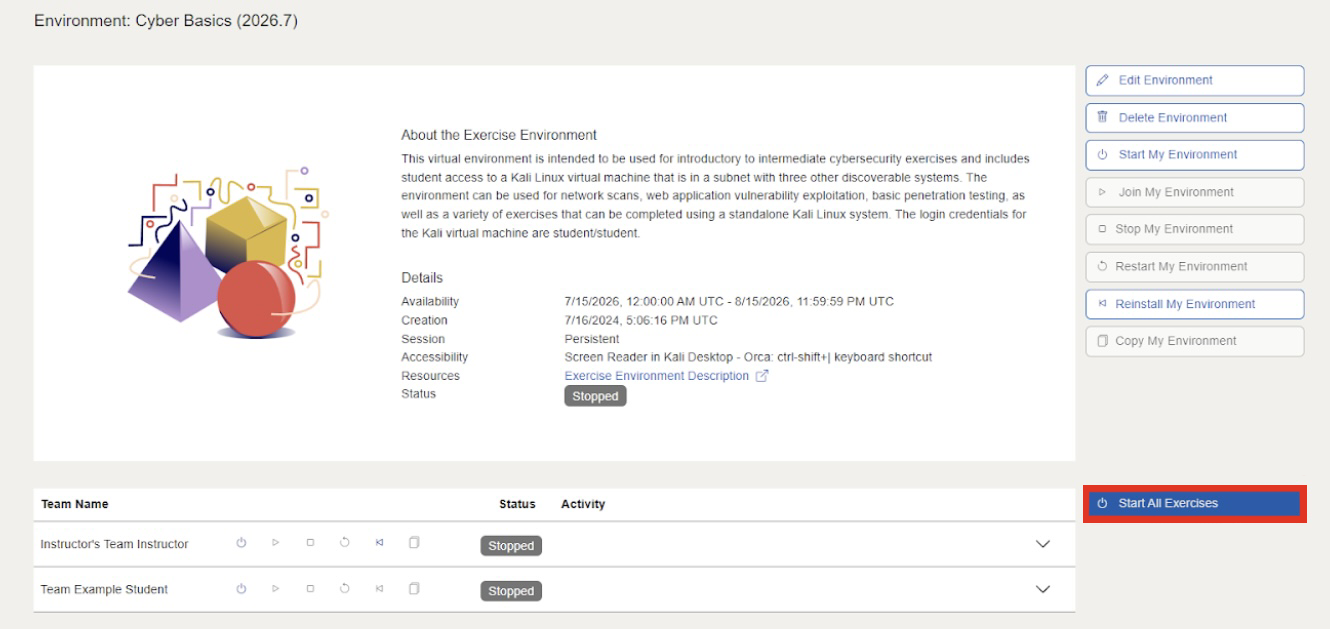
On the environment page, the Start All Team Environments button is located near the bottom right of the screen, to the right of the list of Teams.
Have a Question? Contact Support
We're here to help you. If you still have questions after reviewing the information above, please feel free to submit a ticket with our Support Team and we'll get back to you as soon as possible.
Thank You for Your Feedback!